Use the share menu
Tap Share in Google Maps, Instagram, or TikTok and choose Vimini. On iPhone you can save without leaving the app you are in.
From your feed to your list
Food discoveries move quickly. Share a place from the apps you already use, check that Vimini found the right restaurant, and keep it in the list where you will look for it later.


Tap Share in Google Maps, Instagram, or TikTok and choose Vimini. On iPhone you can save without leaving the app you are in.
Share a screenshot of a post or Story. Vimini reads the place name and address and suggests the matching restaurant.
Vimini remembers where a place came from, so you know why you saved it.
Found a place in Google Maps, a Reel, or a TikTok? Tap Share and choose Vimini from your phone’s share menu.
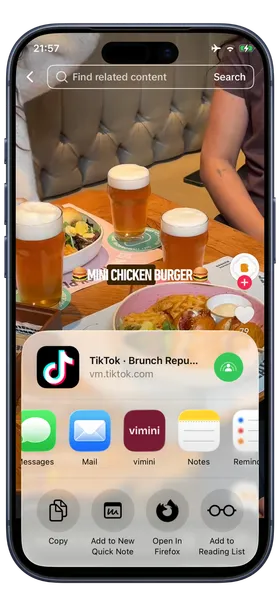
Google Maps places are matched exactly. For Instagram and TikTok, Vimini suggests a restaurant from the post, and you can search for the right one if it is not a match.
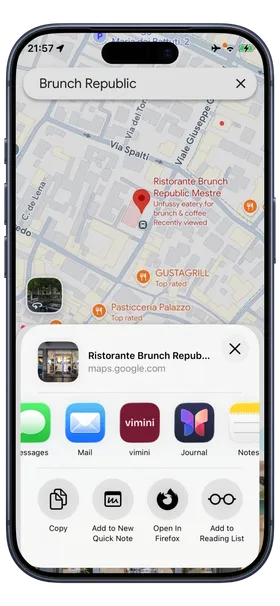
Choose one or more lists, including the ones you share with friends, and the place is ready when you plan your next meal.
No. Saving works through the share menu, so there is nothing to log in to.
Vimini does not watch the video. It uses the post’s title and text to suggest a place, and you confirm it. A screenshot that shows the name or address usually gives the best match.
No. It goes into your lists as a place to try. When you share a photo, you can also choose to start a vimini for a place you have visited.
Yes. Connect your Instagram username and mention @viminiapp in a Story, and Vimini saves the visit as a vimini for you.
Download Vimini and turn the next food discovery into a place you can actually find again.