Features
Everything you can do with Vimini.
Explore all the features that help you save places, remember great meals and choose where to eat next.
Your viminis
-
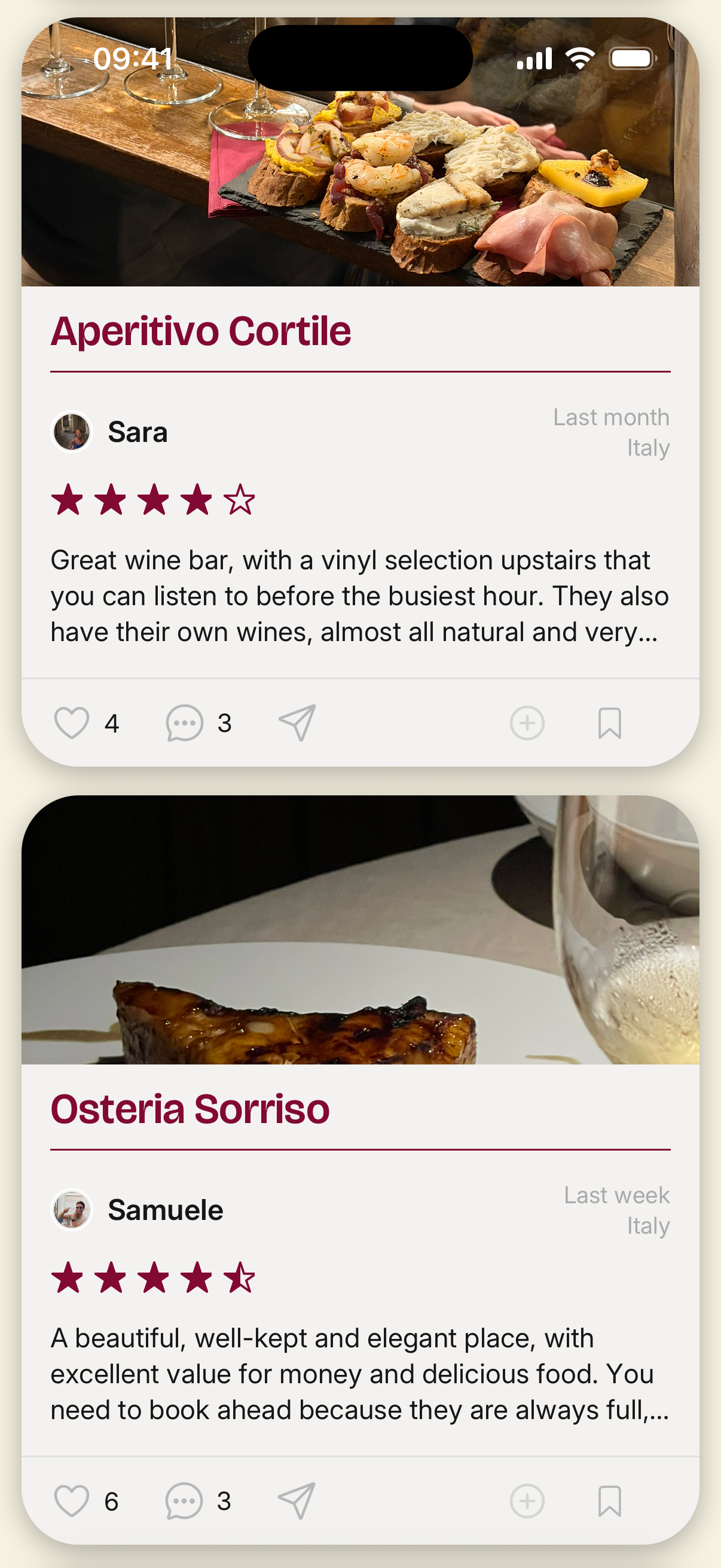
Restaurant reviews
Rate restaurants on food, value, ambience, and service, add photos, dishes, and notes, and share your viminis with friends or keep them private with Vimini.
-
Automatic viminis from Instagram
Connect your Instagram username to Vimini and mention @viminiapp in a Story. Vimini finds the restaurant and saves the visit as a vimini, ready for your rating.
-
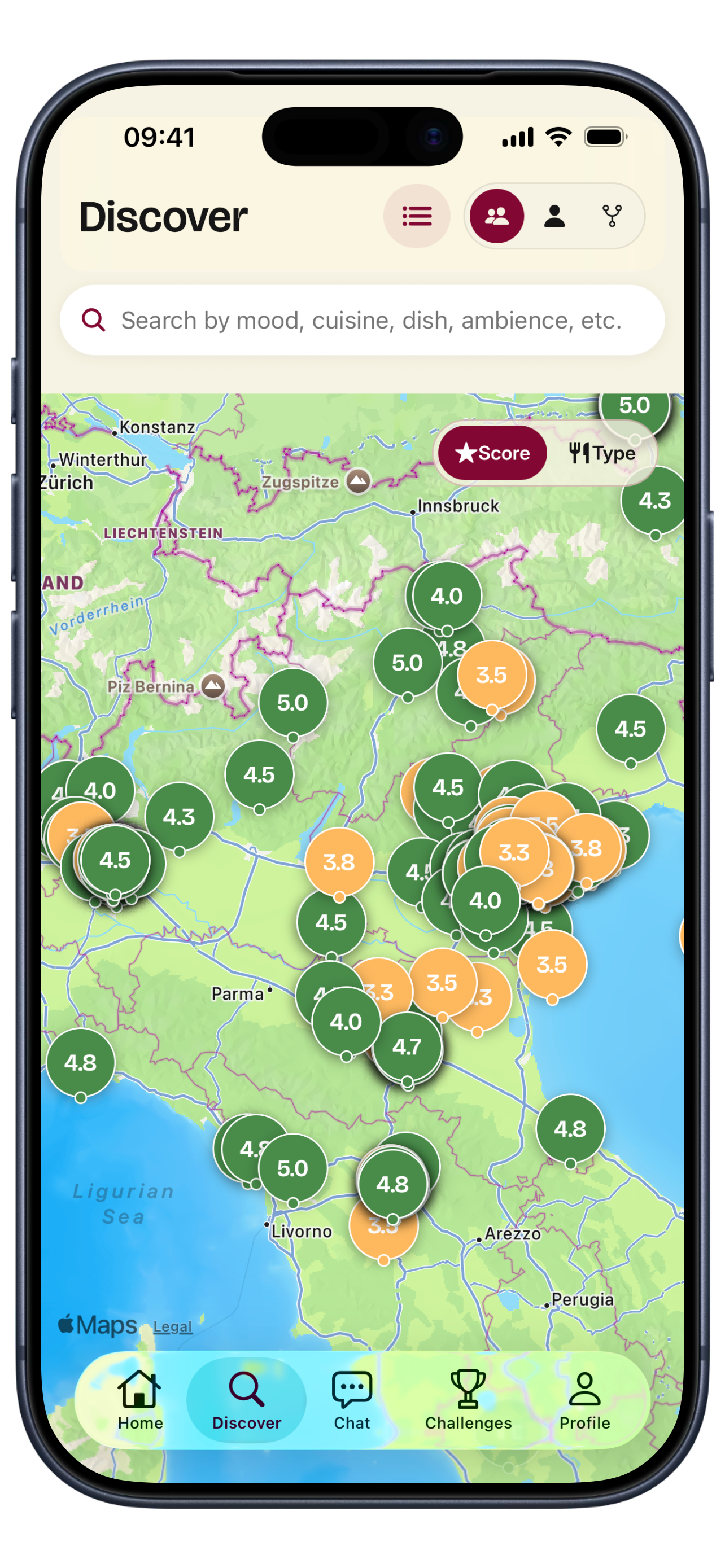
Smart search
Search restaurants by mood, cuisine, dish, or ambience and see what you, your friends, and their friends thought of each place with Vimini’s smart search.
Lists
-
Restaurant lists
Create private or shared restaurant lists, import saved places from Google Maps, and keep every restaurant recommendation organized with Vimini.
-
Import from Google Maps & notes
Import your saved Google Maps lists with a link, or paste a list of restaurants from your notes, and keep every place organized in Vimini.
-
Save from Google Maps, Instagram & TikTok
Share a place from Google Maps, Instagram, or TikTok to Vimini, confirm the restaurant, and add it to your lists before it disappears from your feed.
Friend connections
-
Friend features
See the viminis of friends whose taste you trust, plan where to eat in group chats with polls, and compete on the leaderboard, all in Vimini.
-
Account types
Try Vimini as a guest, sign up for a public, private, or super private account, or join as a restaurant. Here is what each Vimini account type means.
-
Profile customization
Pick your profile picture, favorite cities and tags, diets, and your own rating scale. Your Vimini profile also shows your titles, level, and the countries you have eaten in.
Challenges
-
Food & geography titles
Earn food titles like Pizza Aficionado or Italian Expert and geography titles for the countries and cities you know best, just by saving the restaurants you visit with Vimini.
-
Friend features
See the viminis of friends whose taste you trust, plan where to eat in group chats with polls, and compete on the leaderboard, all in Vimini.
Before you download
Questions about the features
Is Vimini free?
Yes. Vimini is free to download and use on iPhone and Android.
Can I try Vimini without an account?
Yes. As a guest you can save viminis on your phone. Adding friends, chat and the other social features need an account.
Who can see my viminis?
You decide. Your account can be public, private or super private, which also hides you from friends of friends. You can make any single vimini private so only you see it, and restaurants only see your feedback, anonymously, if you allow it.
Can I bring my saved places from Google Maps?
Yes. Paste the link of a Google Maps list and Vimini imports its places, with no Google account to connect. You can also paste a list of places from any notes app.
Can I save restaurants I find on Instagram or TikTok?
Yes. Share the post or a screenshot to Vimini from the share menu, confirm the place, and it goes into your lists as a place to try. There is nothing to log in to.
Download now
Get Vimini on your phone
Vimini is now available on both iPhone and Android.